Generate QR codes for your invoices and payments in seconds, simplifying customer payments and modernizing your business documents. With this free generator, you can quickly generate a QR code to integrate into your invoices, quotes, or payment reminders for faster, simpler, and more efficient payments.
Contents
What is a QR code, and why will it be essential for professionals in 2026?
A QR code provides instant access to a link or payment method when scanned with a smartphone. By 2026, QR codes on invoices and quotes will be the go-to method for quick payments among professionals.
The result: less friction, fewer errors, faster payments, and a more modern company image.
QR code generator for invoices and payments 👇
QR Code Generator
All the steps for using our QR code generator are explained.
Step 1: Prepare your content
Before entering your text, determine how you want to use it. Our generator accepts different types of data:
- Payment link (URL): Copy the URL of your Stripe, PayPal, or online payment interface page.
- Plain text: Ideal for displaying your bank details (IBAN/BIC) in a compact format.
- Website: To link to your Terms and Conditions or a case tracking page.
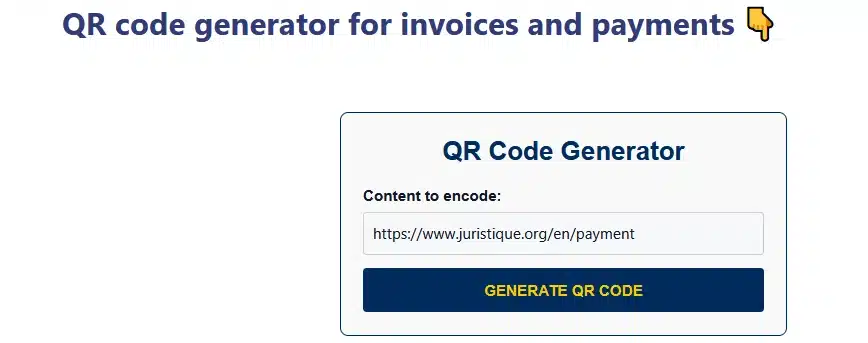
Step 2: Instant generation
- In the “Content to encode” field, paste your link or text.
- Click the “GENERATE QR CODE” button.
- The code will appear immediately below the tool. Our algorithm uses a high level of error correction (Level H), ensuring the code remains readable even when printed in a small format or slightly creased on a paper invoice.
Step 3: Retrieval and saving
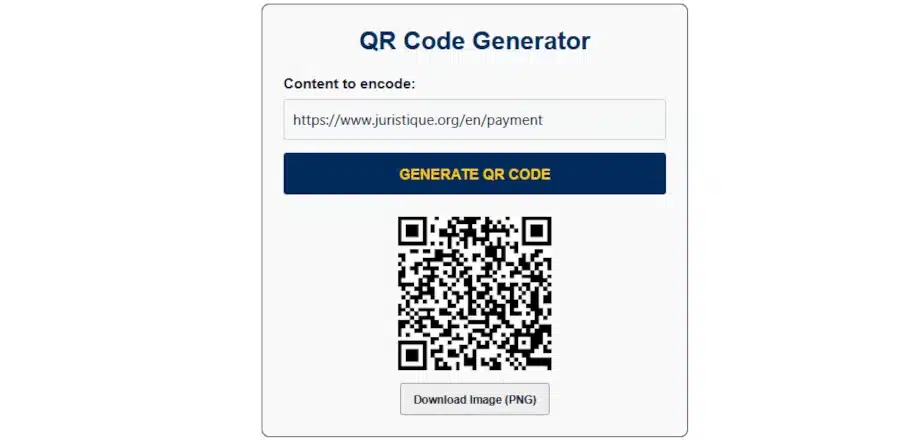
Once the QR code is displayed, you have two options:
- Download: Click the “Download Image (PNG)” button to obtain a high-definition file.
- Capture: You can also right-click on the image to copy it directly into your word processing software.
⚠️ Don’t forget to test your QR code beforehand!
Step 4: Integration into your documents
For maximum effectiveness, we recommend inserting this QR code in the following strategic locations:

- At the bottom of the invoice: next to the total amount including tax, with the phrase “Scan to Pay.”
- On your payment reminders, to facilitate the debtor’s immediate payment.
- On your quotes: to link to an electronic signature page.
FAQ: Everything you need to know about QR code thumbnails and how to use them
⚖️ The Legal Aspects of QR Code Payments
Integrating a QR code into your business documents is a modern practice that is fully regulated by French law.
Freedom of Payment: Under Article 1342 of the French Civil Code, a QR code is a technological tool that facilitates payment. It does not replace the mandatory information on the invoice, but it does simplify the payment process.
Security and Proof: By directly linking the scan to an invoice reference, you reduce data entry errors and facilitate bank reconciliation in the event of a dispute.
GDPR Compliance: The Juristique tool generates static QR codes. No data is stored on our servers; encoding is performed locally in your browser to ensure complete confidentiality.
Best Practice: Always include your standard bank details (IBAN/BIC) alongside the QR code to ensure all your debtors can make payments.
Juristique advice: QR codes reduce payment times by two-thirds. They are a valuable asset to your cash flow, provided your terms and conditions clearly specify the electronic payment methods you accept.
Other online tools available on Juristique
The tools offered by Juristique® allow you to easily carry out legal and administrative procedures as well as financial calculations and optimization online.

We’d love to hear your opinion and feedback on our QR code generator for invoices and payments:
Tell us in the comments. THANK YOU.
